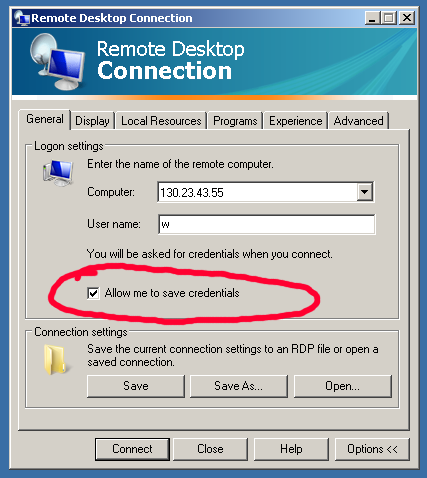
I was using VirtualBox 3.2.4 in a headless mode running on a CentOS 5.5 x86_64.

ssh -N -L 5904:127.0.0.1:5901 username@remoteserverThe above command forwards everything on localhost port 5904 to the port 5901 on remoteserver. This is what I use to connect to a VNC service on port 5901 on a remoteserver at my job from my home computer. Thus, at home, after establishing the above tunnel I can use a vncviewer as follows:vncviewer :4
VBoxHeadless --startvm "xp"To stop it we can use VBoxManage controlvm "xp" savestateSince it is in a headless state we have to access it using a RDP viewer, e.g. rdesktop command in Linux:desktop -u username -p password -a 16 serverIPOf course, before we can use it in this way, we have to enable remote destkop for the "xp" machine and define authentication method. In my case, I used External method, since it uses the linux user account under which my VirtualBox is running.
screen -S matlab2. Create few windows in the screen session using Ctr-a c for ((i=0;i<$NO_WINDOWS;i+=1)); do
echo $i
sleep 2
screen -S matlab -p $i -X exec matlab -nodesktop -r "bashCalculations('part',$i+1)"
donewhere bashCalculations is my matlab script bashCalculations.m that takes part argument. So,, each screen window executes different part of my script.
 The 10.04 LTS release of Ubuntu seems to be very, very good. However, for some strange reason, creators of this release made some strange decisions about Ubuntu's look-and-feel. One of the things that annoyed me was the assumption that every Ubuntu user, uses Twitter, Facebook or other social network. Thus, they incorporated the tools for using social networking sites into the distibution. They did it by adding chat and status icons/notifiers into Gnome system try. However, what they did not do, was the ability to easily remove them. For example, when you remove massage notifier (mail icon) using "Remove From Panel" option, the volume control icon also disappears.
sudo apt-get remove indicator-me indicator-messagesAfter that just log-out and log-into the gnome session and the icons should be gone:
>> a=[1 2 3.24 -43 4.56];

>> numarray2cellstring(a)


ans =


'1'    '2'    '3.24'    '-43'    '4.56'
menu.title.font: sans-12:bold

menu.frame.font: sans-12:bold

toolbar.clock.font: sans-10:bold

toolbar.workspace.font: sans-12:bold

*font: sans-12
Of course you have to select the font you like or the size.
> [123]

> [456]

> [567]

> [5]

> [343]
This method will produce incorrect array due to space in "567 5", but it works fine if there are no spaces in the $STR variable.> [123]
> [456]
> [567 5]
> [343]This method works fine even if there are spaces.> [123]
> [456]
> [567 5]
> [343] This method also works fine even though there are spaces in the $STR variable.> [123]
> [456]
> [567]
> [5]
> [343]This method will also produce incorrect array due to space in "567 5", but it works fine if there are no spaces in the $STR variable.> [123]
> [456]
> [567 5]
> [343] This method also works fine.
awk 'NR==12' file.txt sed -n '12p' file.txt In both cases, line 12 will be returned. awk '{print $1, $2}' file The code will return first and second columns from file.txtawk 'NR==12 {print $1, $2}' file.txtThe Code will return first and second columns form a line no. 12.